 BZ
BZ Games bonus code FREE5USDT unlocks 5 USDT at sign-up
Type the code into the referral field of the BZ.COM registration form and the account opens with a free 5 USDT — no deposit, no card, no extra step after sign-up.
Enter during registration only
Five steps, captured from a real BZ.COM registration
The screenshots below come from a desktop sign-up. The form is the same on a phone browser.
Open BZ.COM through the code link
Use any “Claim” button on this page. It opens bz.com/#/FREE5USDT, so the referral is attached from the first click.
Start a new account
Press Sign up. Enter your email address or phone number and choose a password.
Find the referral field
Under the password, open Referral Code (Optional). An Invitation Code box appears — that is where the code goes.
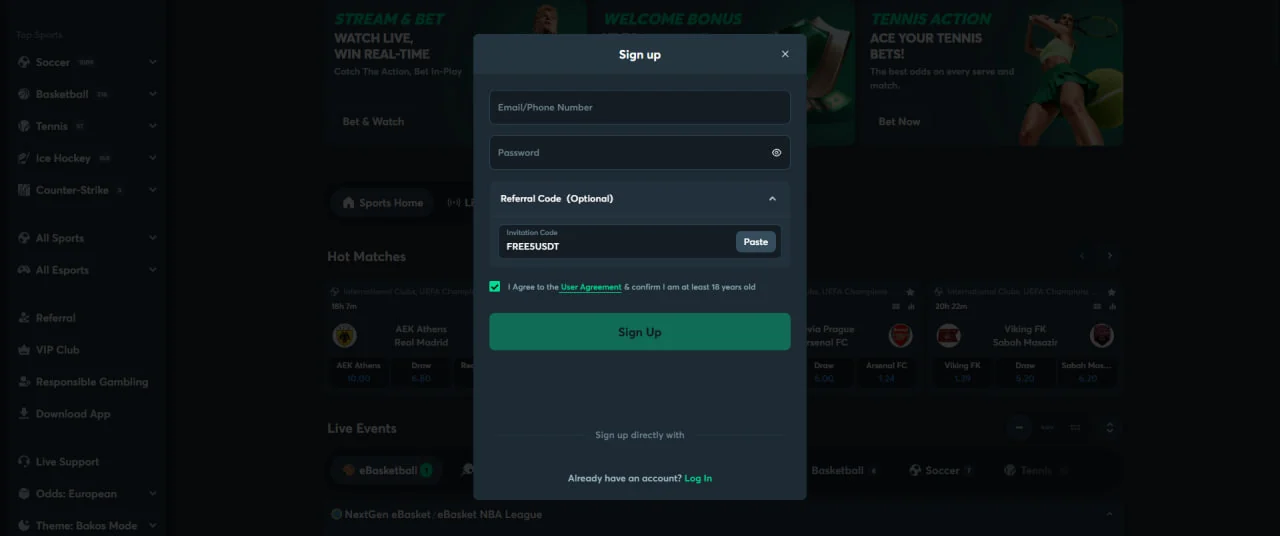 Sign up form · Invitation Code field · tap to enlarge
Enter FREE5USDT
Type FREE5USDT or use the field's Paste button after copying it here. Tick the box confirming you accept the User Agreement and are at least 18, then press Sign Up.
CodeFREE5USDTFinish and check the bonus
Right after registration we were shown “Your Welcome Bonus is ready! 5 USDT” with a Claim & Use button. After claiming, the header balance read 5 USDT.
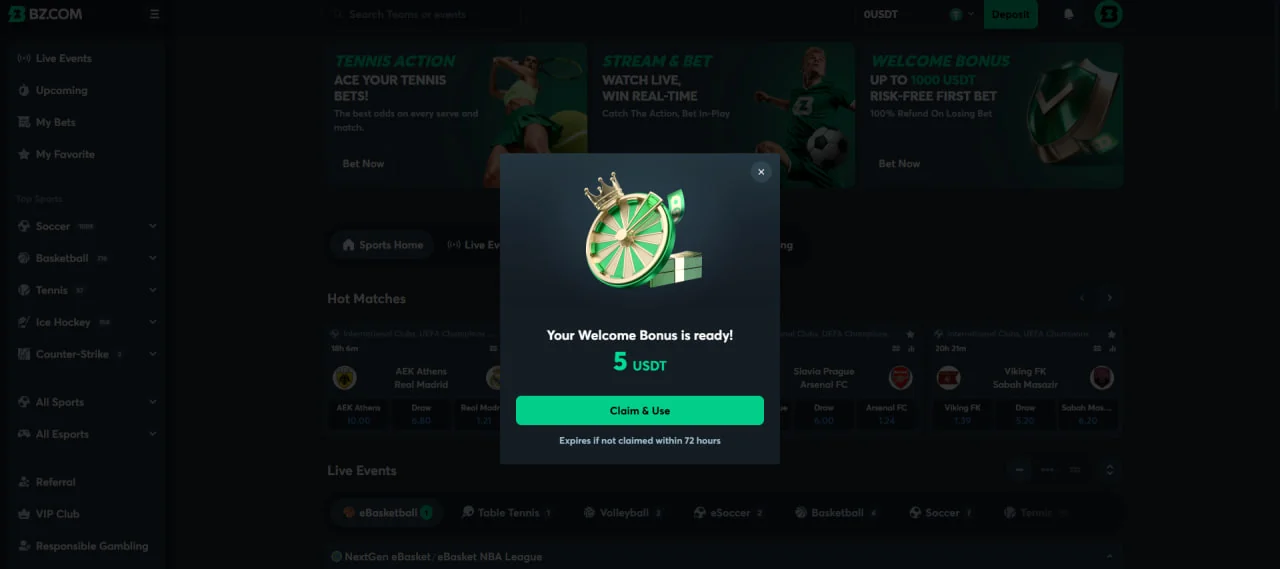 Welcome bonus pop-up · Claim & Use · tap to enlarge
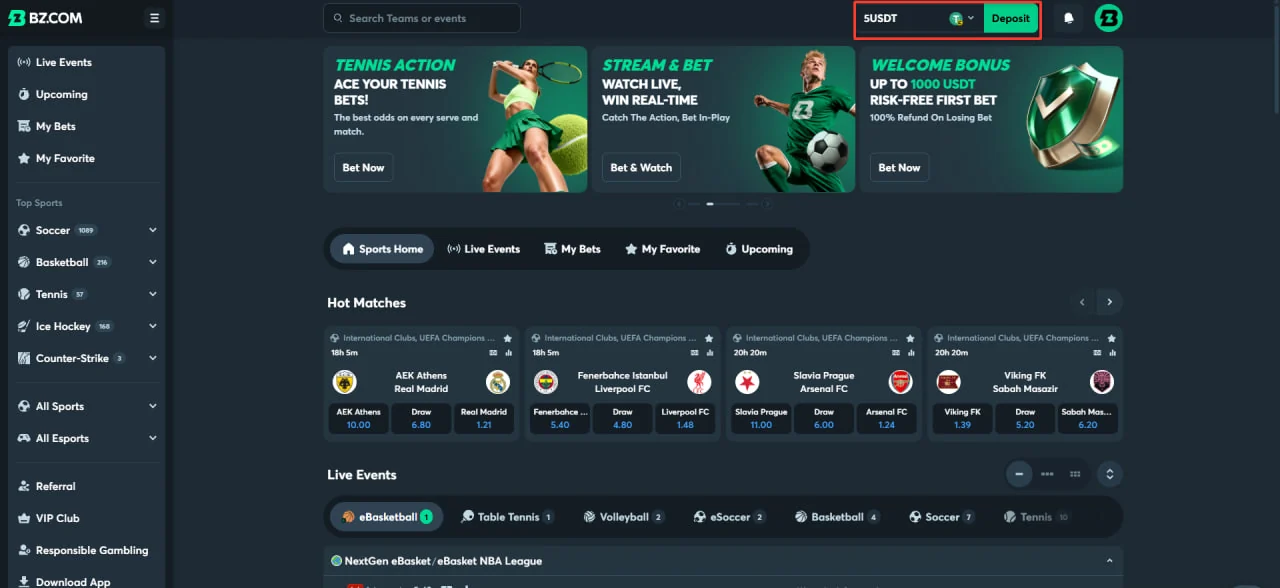 Balance after claiming · 5 USDT · tap to enlarge
What we could confirm about the BZ no deposit bonus
Only details visible in our own registration are listed. Anything else is set by BZ.COM's terms, which can change.
- Code
- FREE5USDT
- Bonus
- Free 5 USDTShown as a welcome bonus after sign-up
- Deposit required
- NoneCredit arrived before any deposit
- Where to enter
- Referral Code (Optional)Invitation Code box on the Sign up form
- When to enter
- During registration onlyCannot be added later
- Claim window shown
- 72 hours“Expires if not claimed within 72 hours”
- Balance currency
- USDTValue in CA$ follows USD/CAD
- Age
- 18+Confirmed with a checkbox at sign-up; provincial age rules also apply
Rules on using the credit — such as which bets it can be placed on or what is needed before a withdrawal — were not shown in the screens we captured. Read the promotion terms on BZ.COM before you rely on any specific condition.
Six ways people miss the 5 USDT
Pressing Sign Up before adding the code
The referral section is collapsed and marked “Optional”, so it is easy to skip. Open it first.
Planning to add it later
There is no place to enter a referral code after the account is created.
Typos and swapped characters
It is FREE5USDT — the digit 5, not the letter S. Copying it with the button above avoids errors.
Extra spaces from pasting
Some keyboards add a space after pasted text. Check the field shows exactly nine characters.
Using an existing account
The welcome credit is for new registrations. Logging in to an older account will not trigger it.
Ignoring the pop-up
Our bonus message said it expires if not claimed within 72 hours. Press Claim & Use when you see it.
FREE5USDT questions
Copy the code, open BZ.COM, register
Five minutes from now you can have a BZ.COM account with 5 USDT to try table tennis or esports markets.
